Travel Flow
Travel Flow is a conceptual B2B client and reservation management tool designed as an MVP. It explores how client and reservation information could be structured for travel agents handling multiple clients and trips, with the goal of enabling quick access to key details without disrupting workflow.
Client
Travel Flow
Role
UX/UI, Product Design, Prototyping
Year
2025
Purpose
Travel Flow is a conceptual design project created to explore Figma and practice designing web-based tools. The idea of a client and reservation management system for travel agents was developed conceptually as a design exercise, without user research. This project served as a way to dive deeper into Figma's features, understand how to structure complex information flows, and create interactive prototypes that feel realistic.
Context
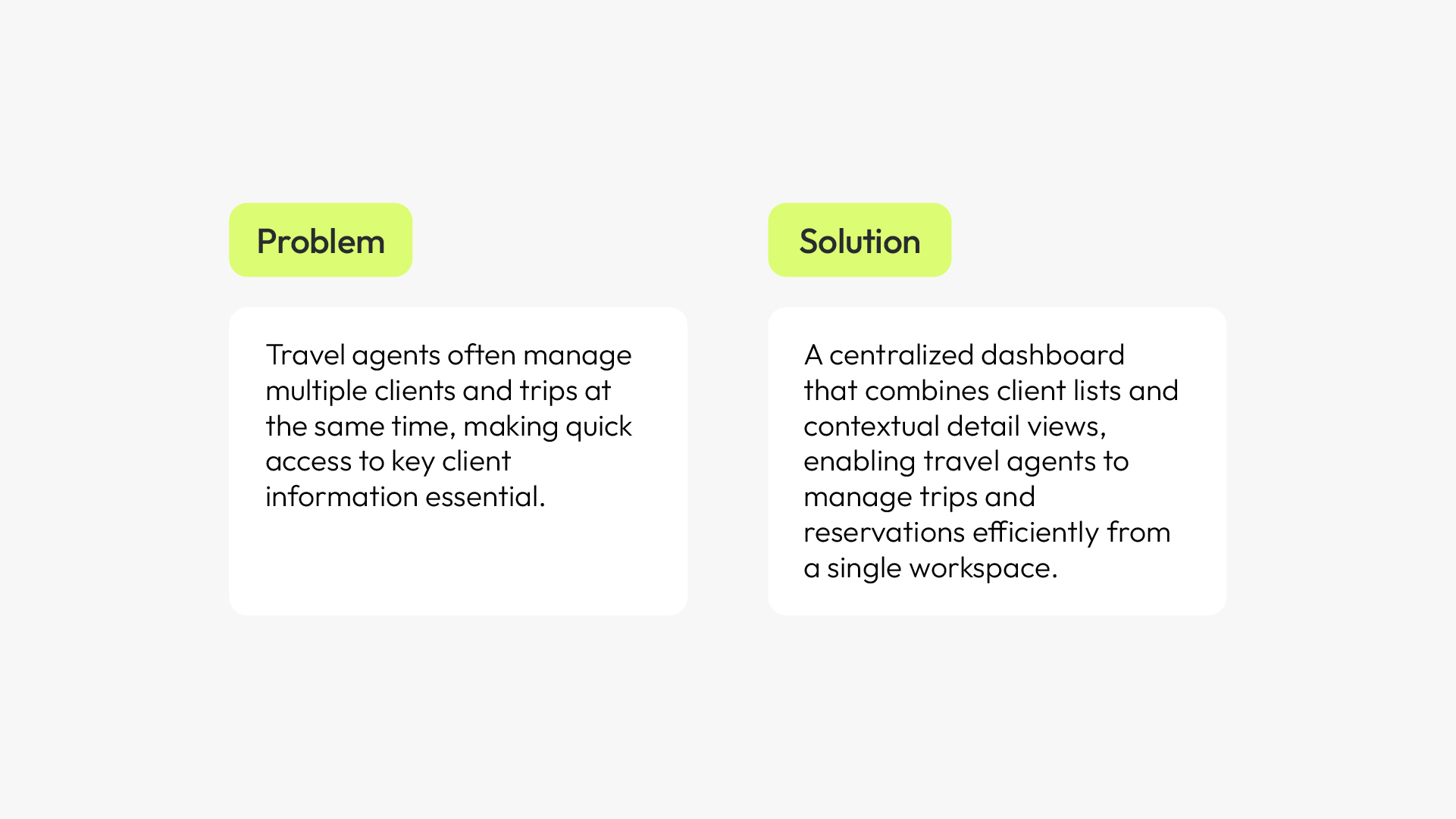
The idea explores a scenario: what if travel agents had a tool where client information and reservations were connected and easily accessible in one workflow, without having to jump between screens?
As an MVP, the goal was to validate a simplified approach that integrates key client information directly into the workflow, reducing friction without introducing additional complexity. Rather than building a full-featured system, the focus was on testing whether this core idea—fast access to connected data—could improve the workflow.
Wireframes
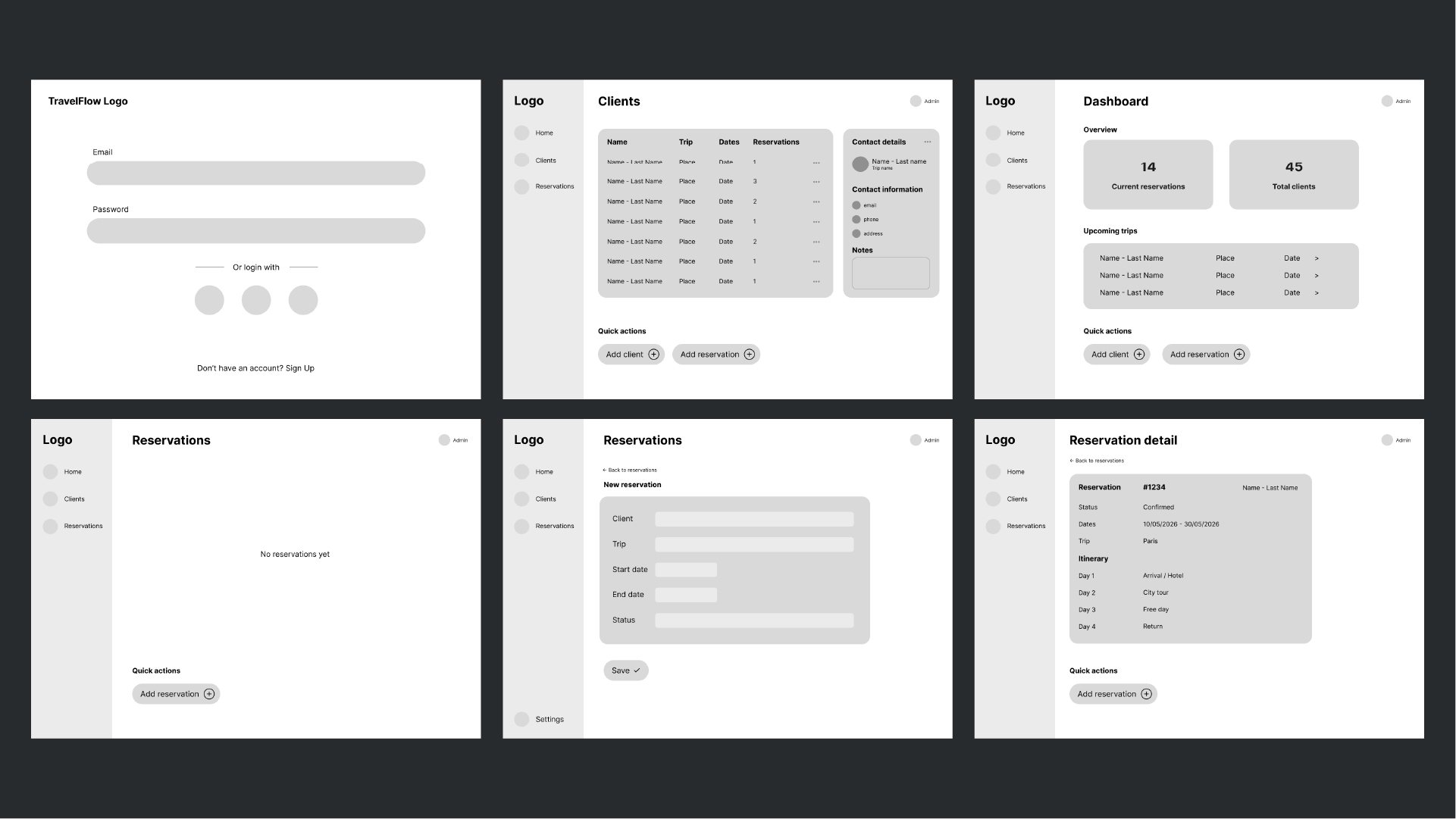
As part of the MVP, the wireframes define a clear, efficient structure for managing clients, trips, and reservations.
Instead of adding features, the priority was to simplify navigation and surface the most critical information within the main workflow.
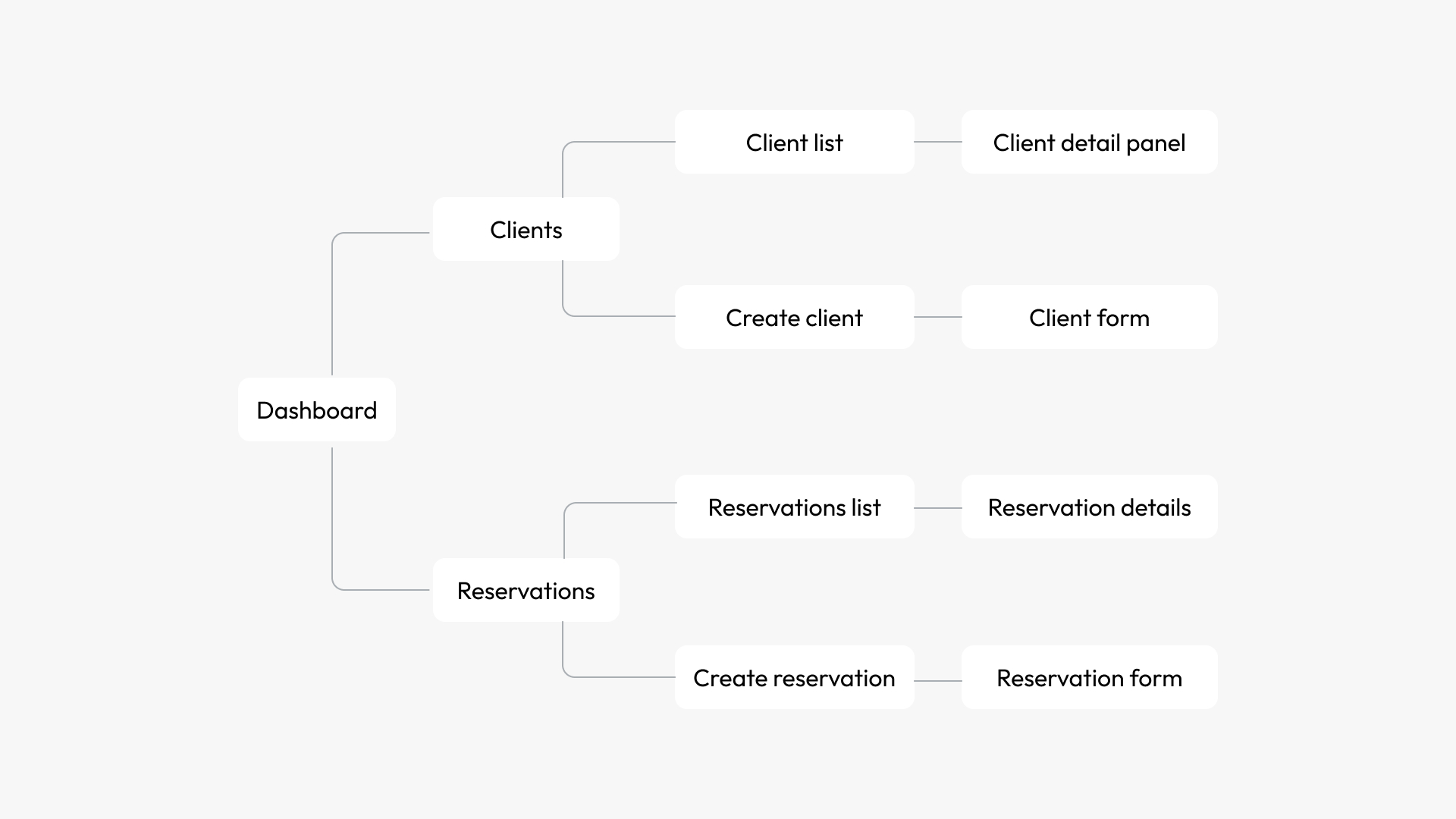
User flow
The user flow was designed to support travel agents' daily workflow, allowing them to move seamlessly between clients and reservations.
Key actions such as viewing client details, creating new clients, and managing reservations can be completed with minimal steps and without leaving the main context.
Visual design
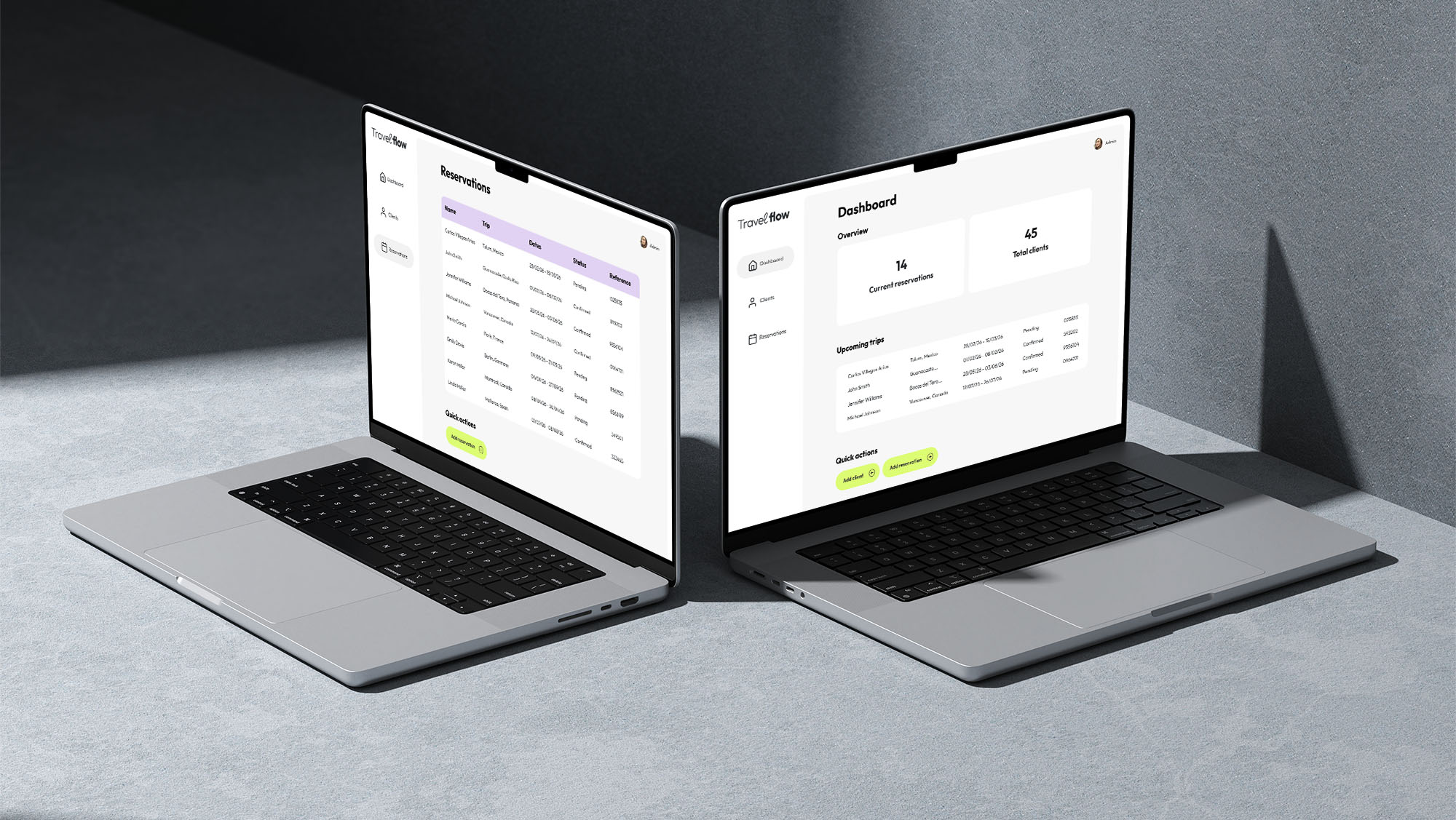
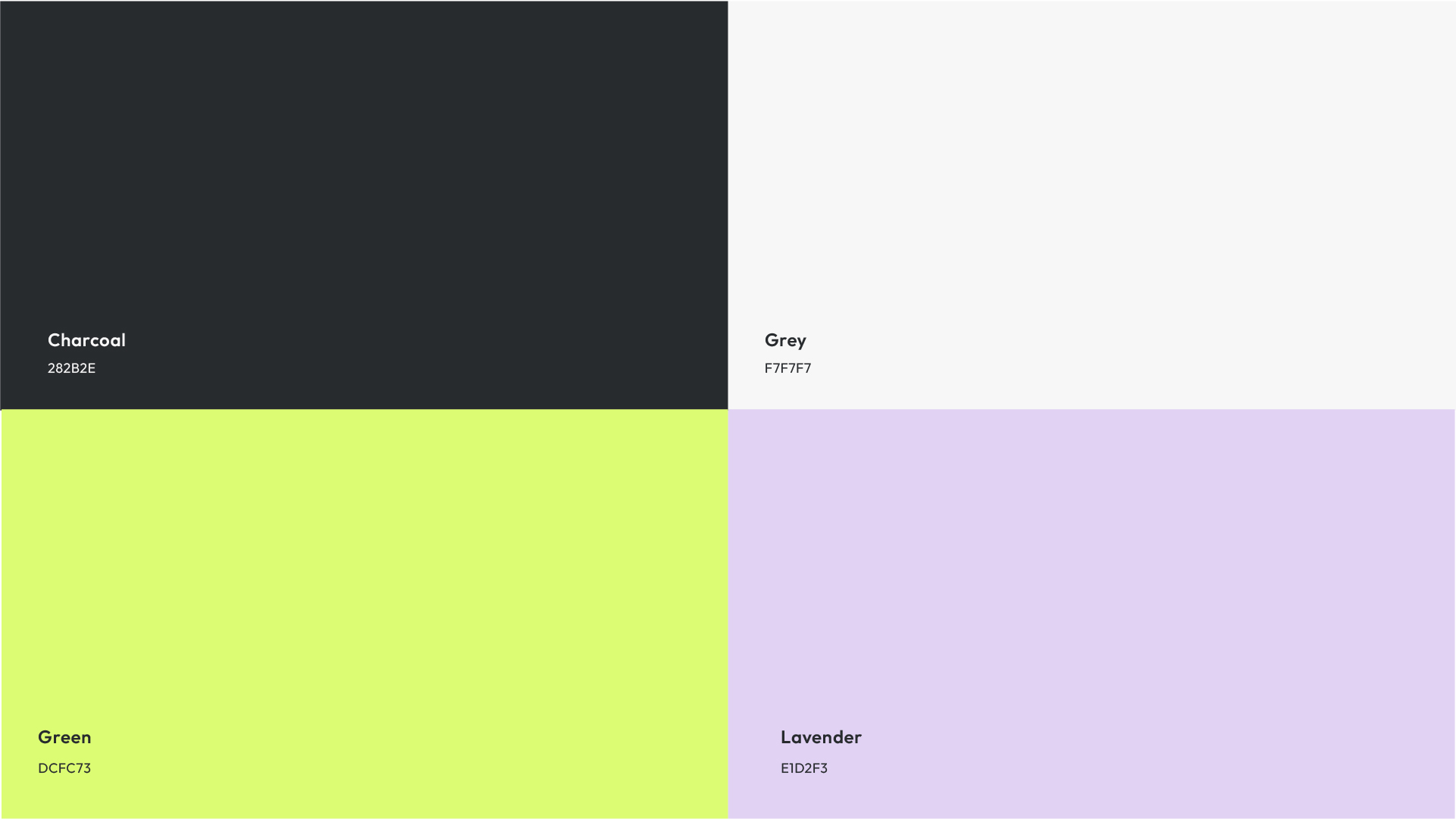
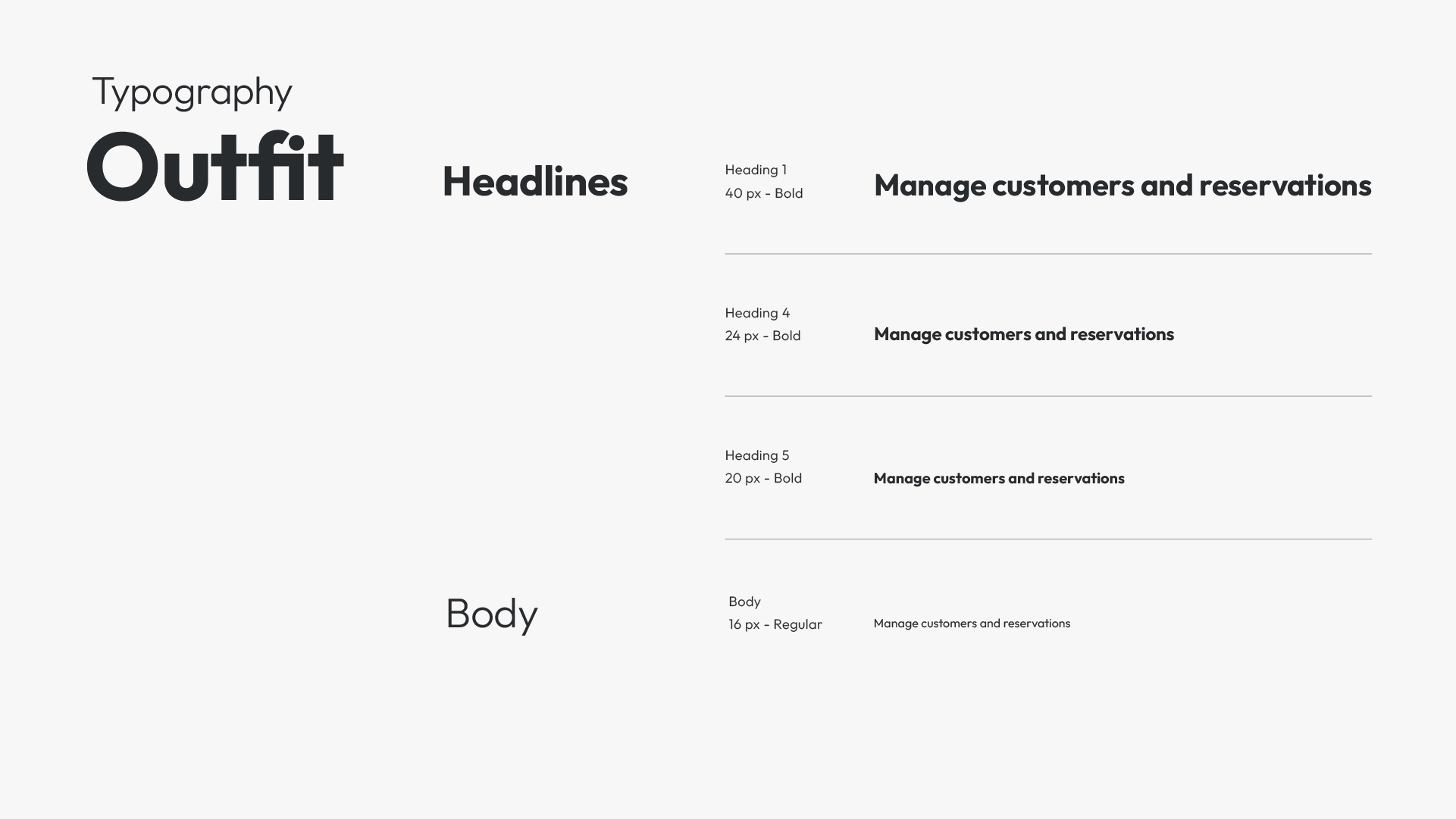
The visual design of Travel Flow focuses on clarity, hierarchy, and ease of use in a data-dense environment.
A restrained color palette and neutral surfaces were chosen to reduce visual noise and support fast scanning across tables and dashboards. Accent colors are used sparingly to highlight status, actions, and key information.
UI Design
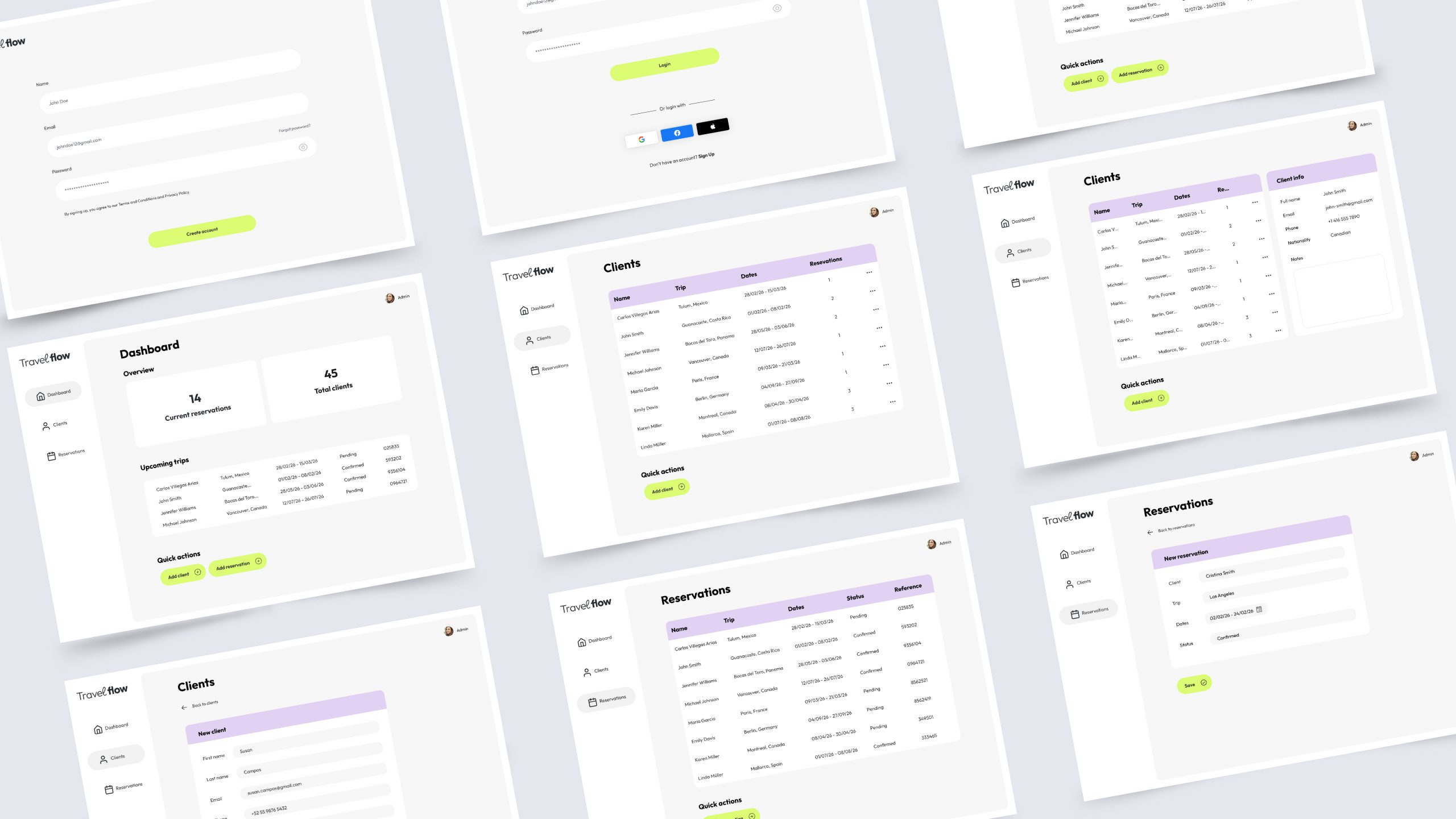
The visual design supports the core MVP goal of providing fast access to information without disrupting workflow. The sidebar navigation remains visible as users move between sections, allowing them to switch quickly without losing context.
Color was used intentionally throughout the interface: accent colors highlight actionable elements and status indicators, while a neutral palette keeps large amounts of information readable and free from unnecessary visual noise.
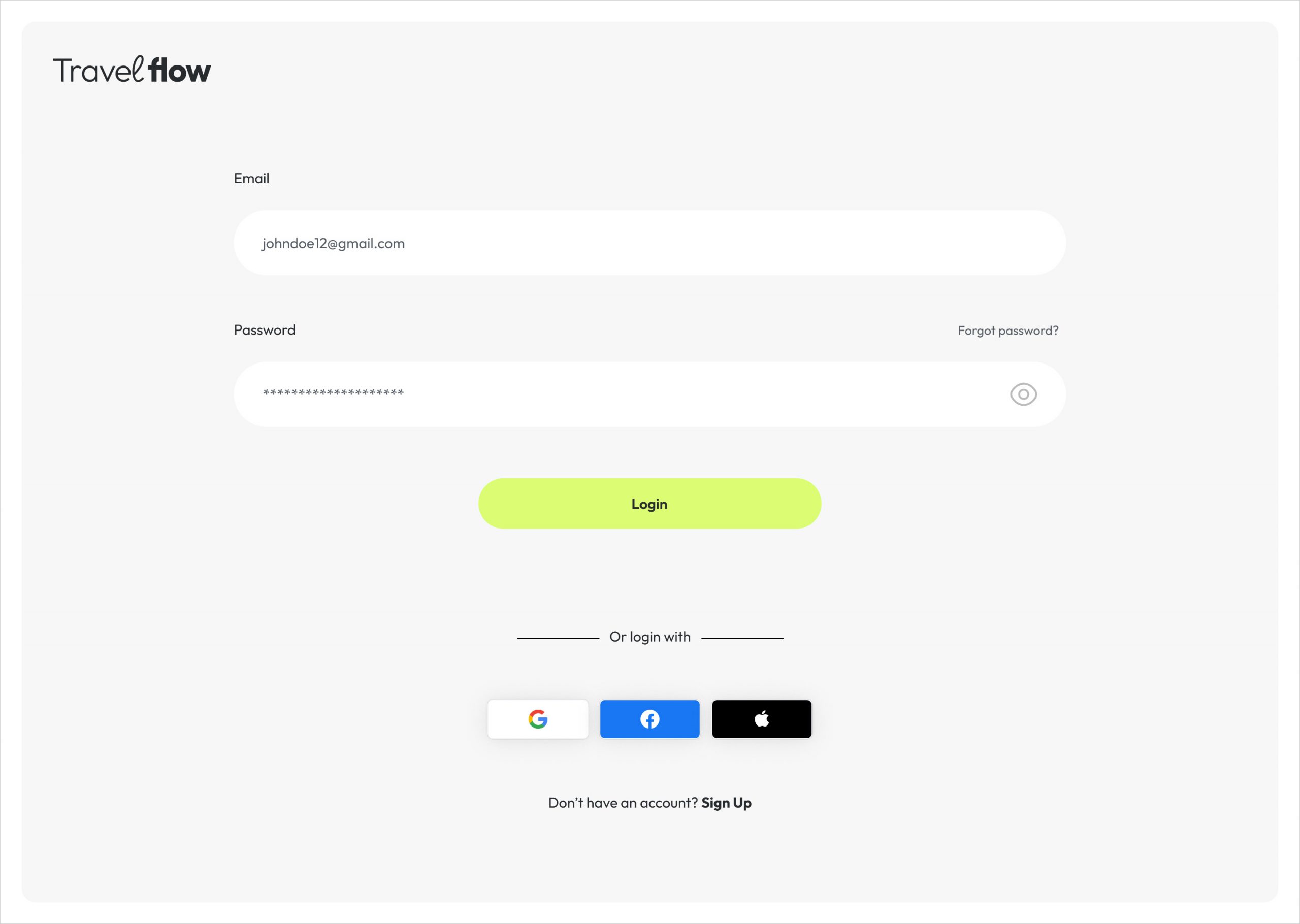
Login
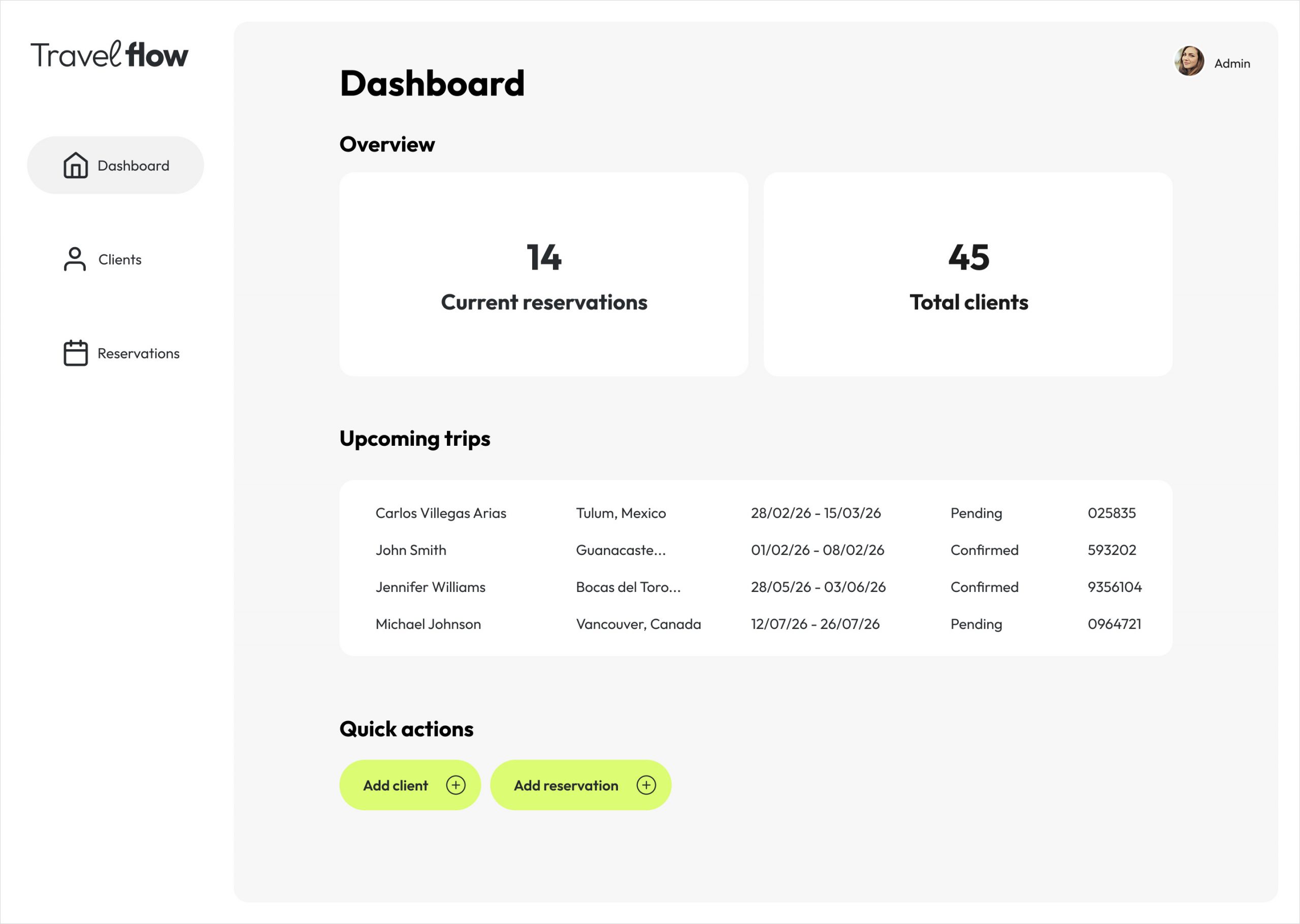
Dashboard
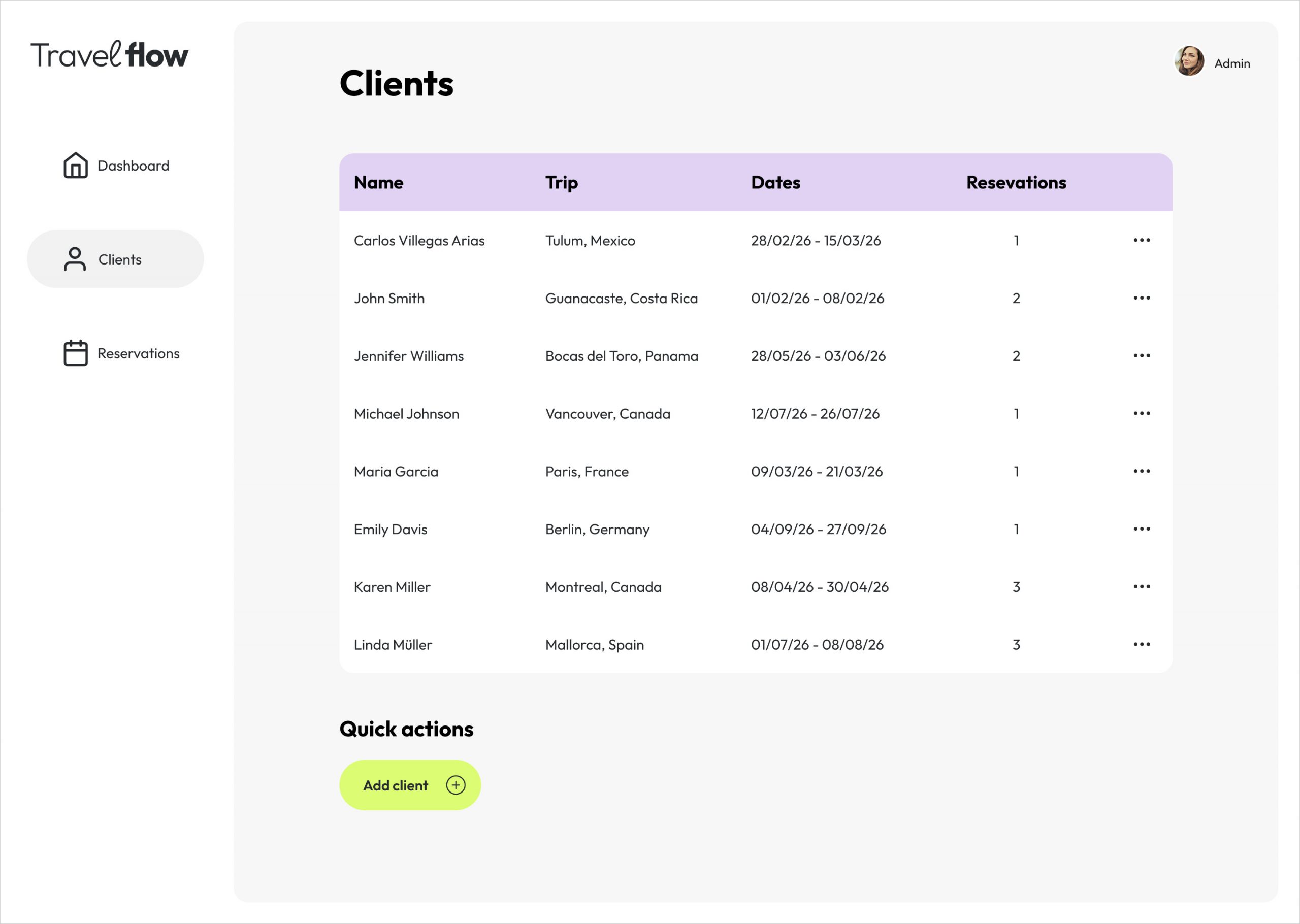
Client panel
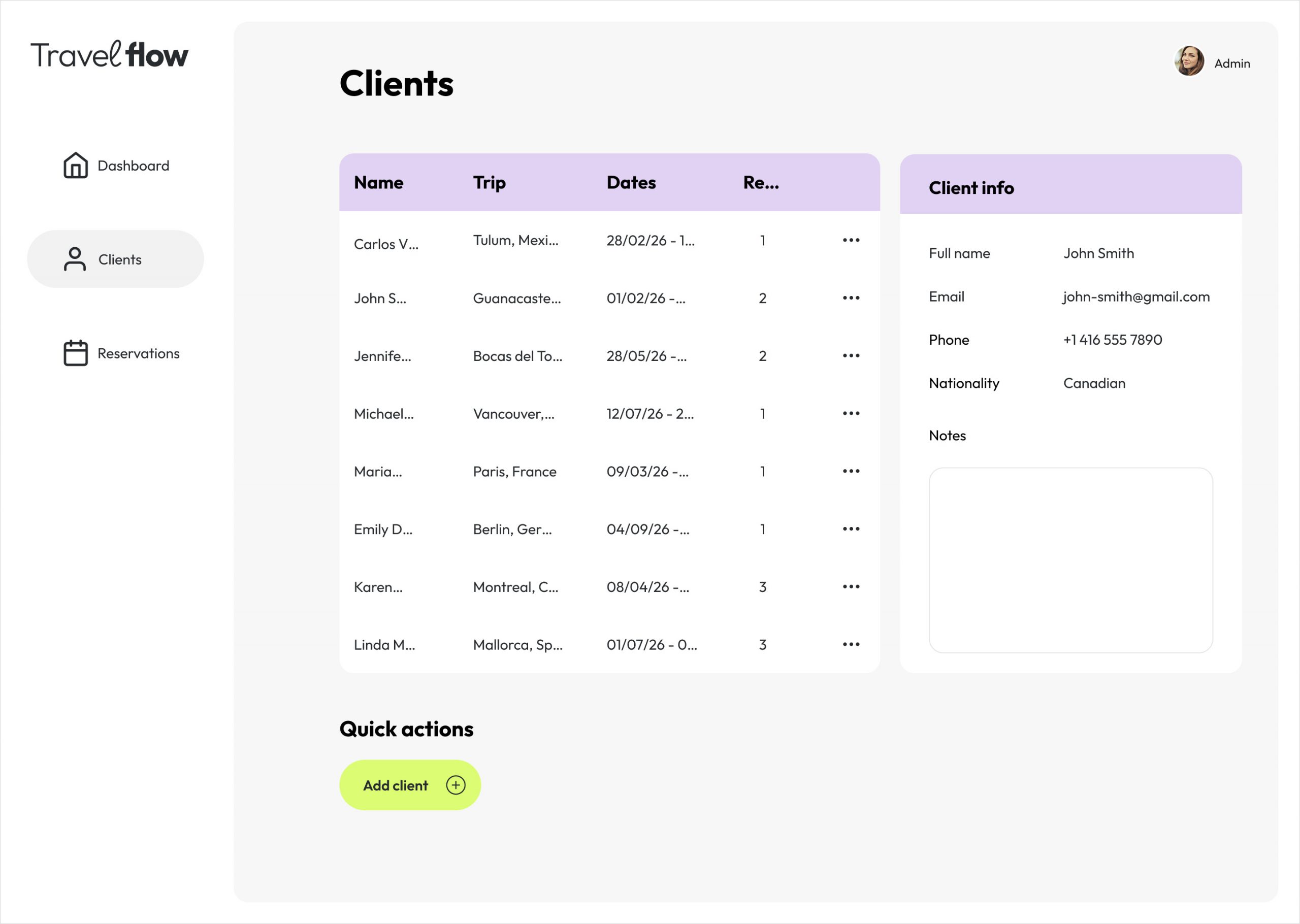
Client details are displayed in a side panel, allowing users to access quick information without leaving the current screen
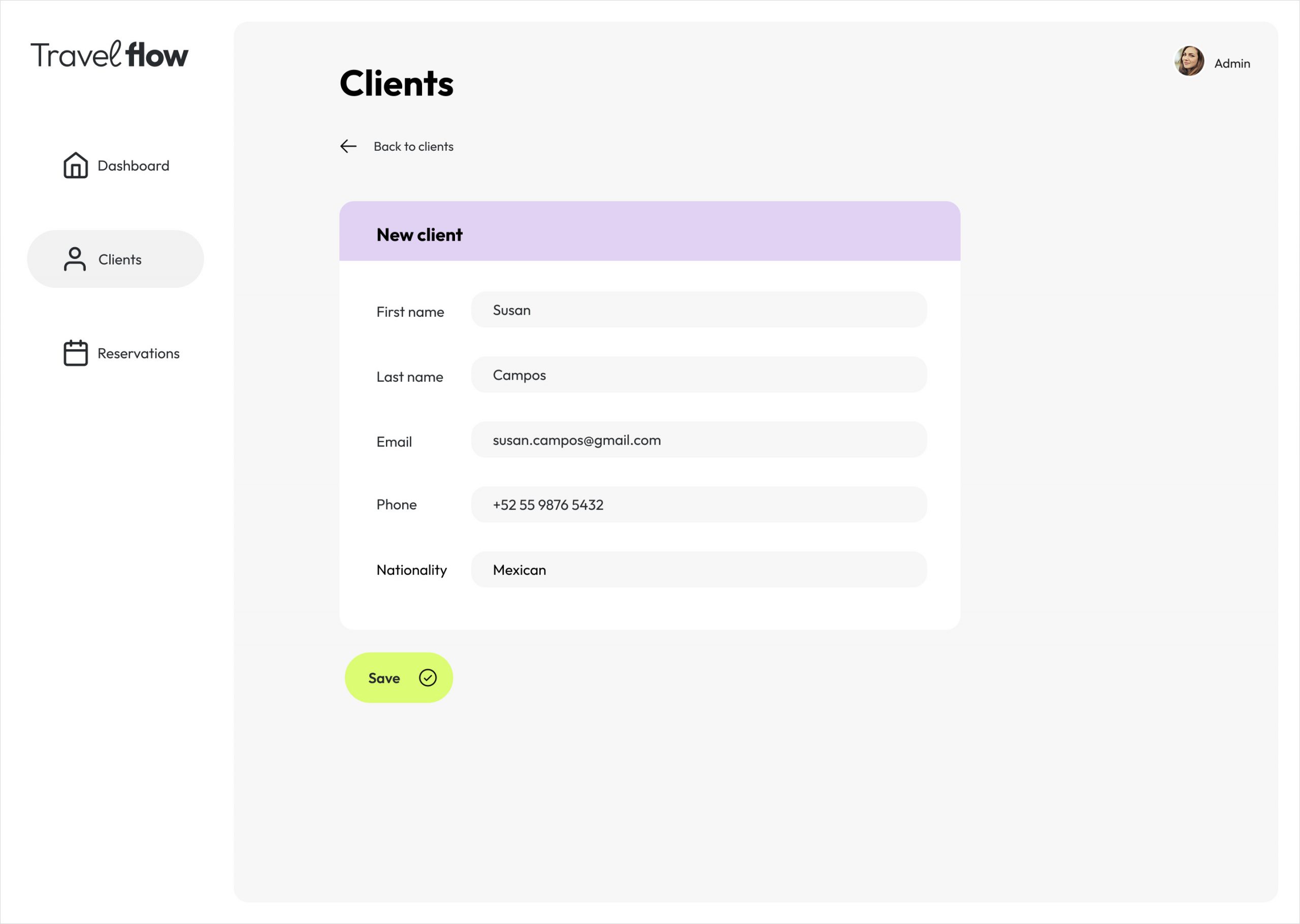
A separate window is used for adding new clients in order to maintain a clean and focused interface
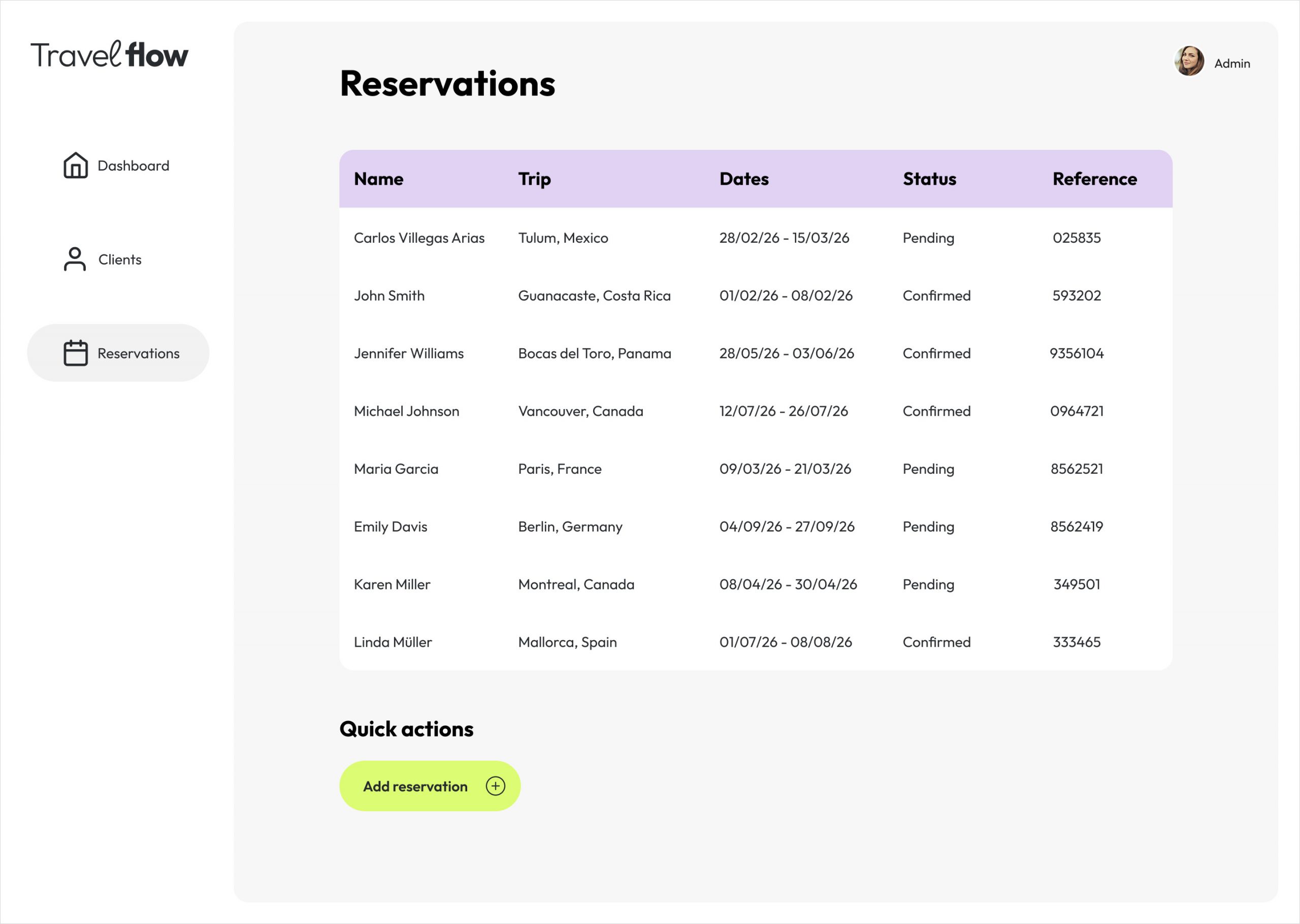
Reservations panel
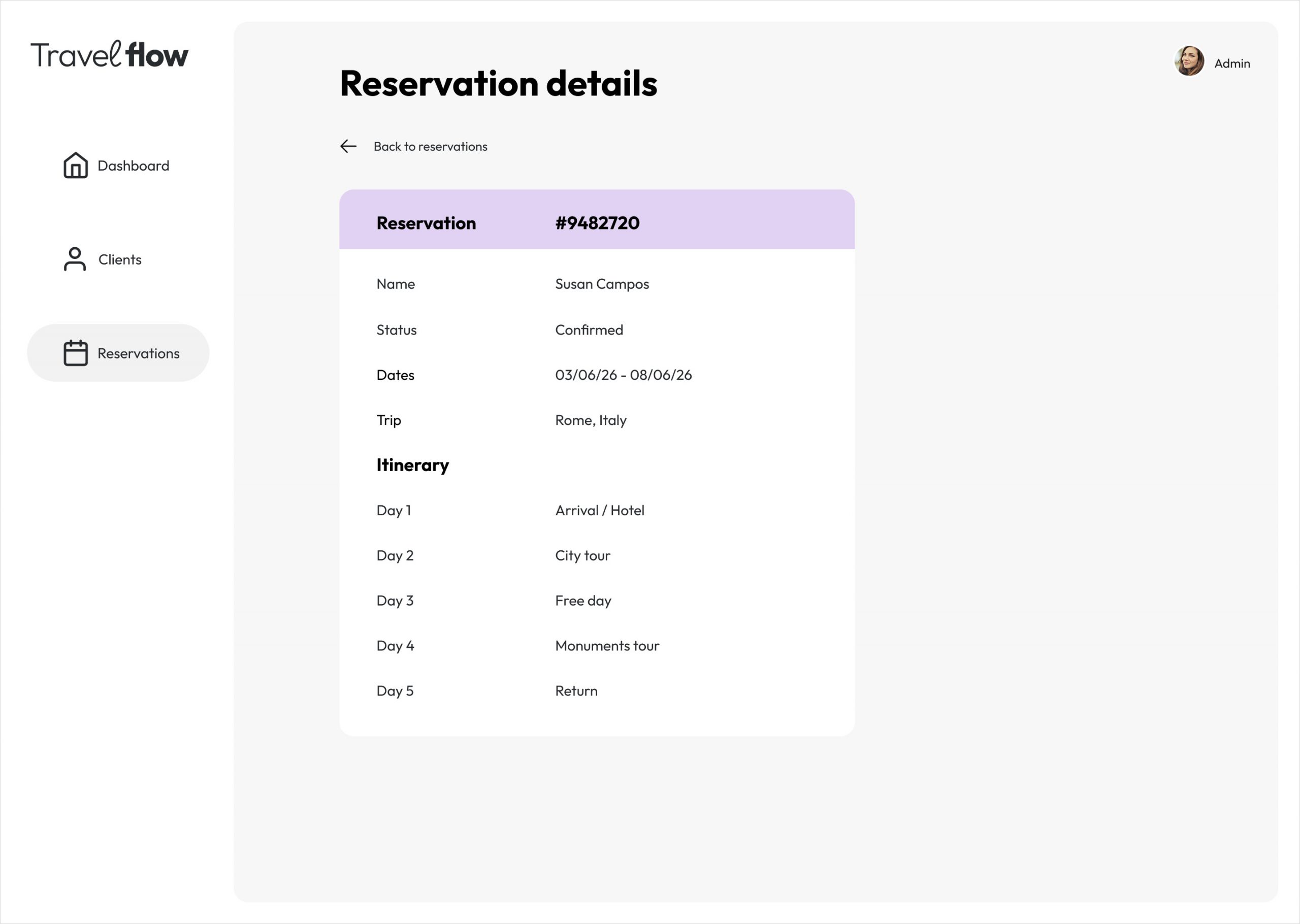
Because reservation details require more information, they are displayed in a separate window rather than a side panel
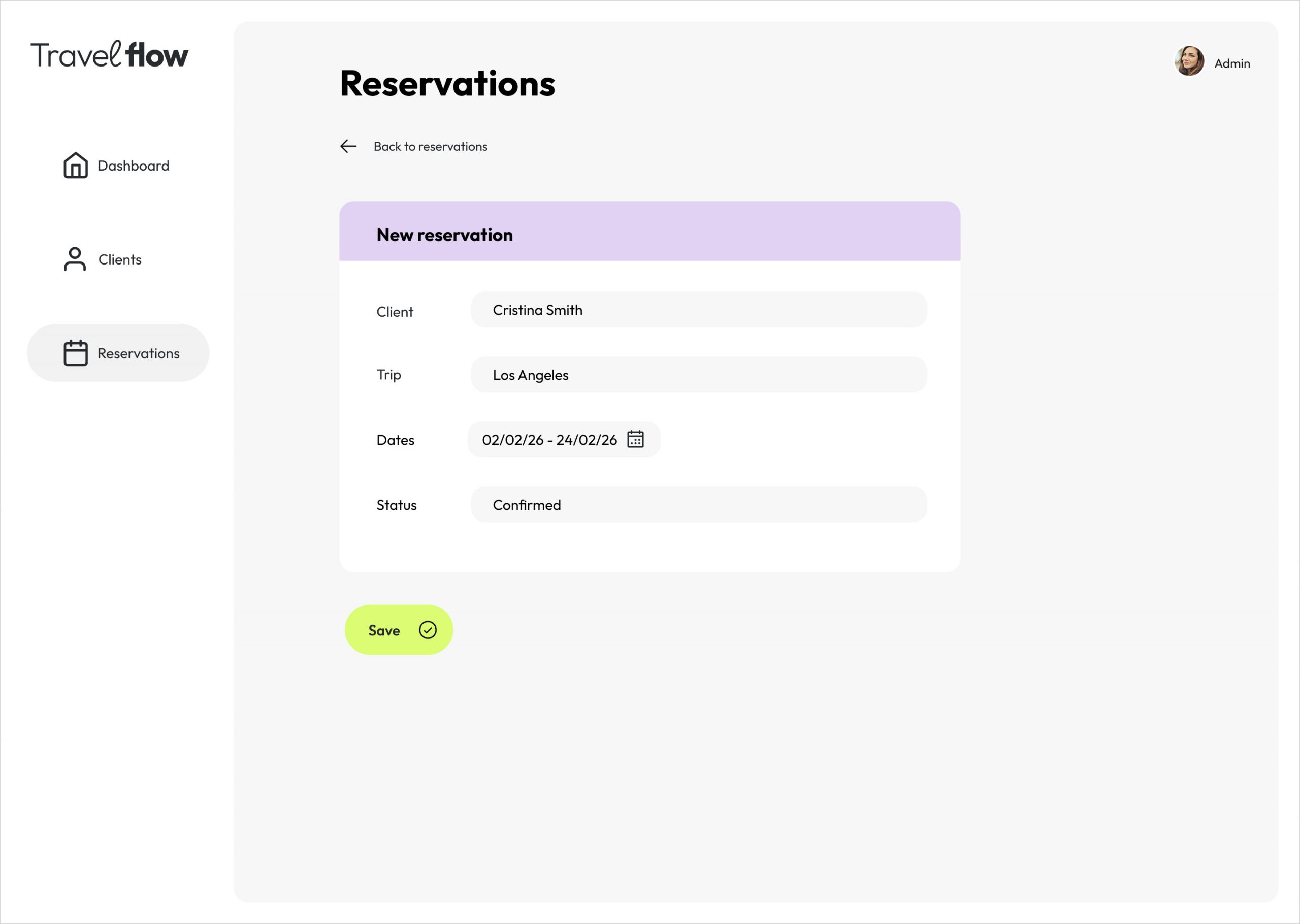
Adding new reservations takes place in a separate view to reduce visual clutter
Prototypes
The prototype focuses on demonstrating key interaction patterns rather than full functionality. It explores how users navigate between client lists, reservation details, and contextual actions, with an emphasis on maintaining visibility of the main workspace.
Micro-interactions such as hover states, transitions, and slide-in panels were included to communicate intent and hierarchy.
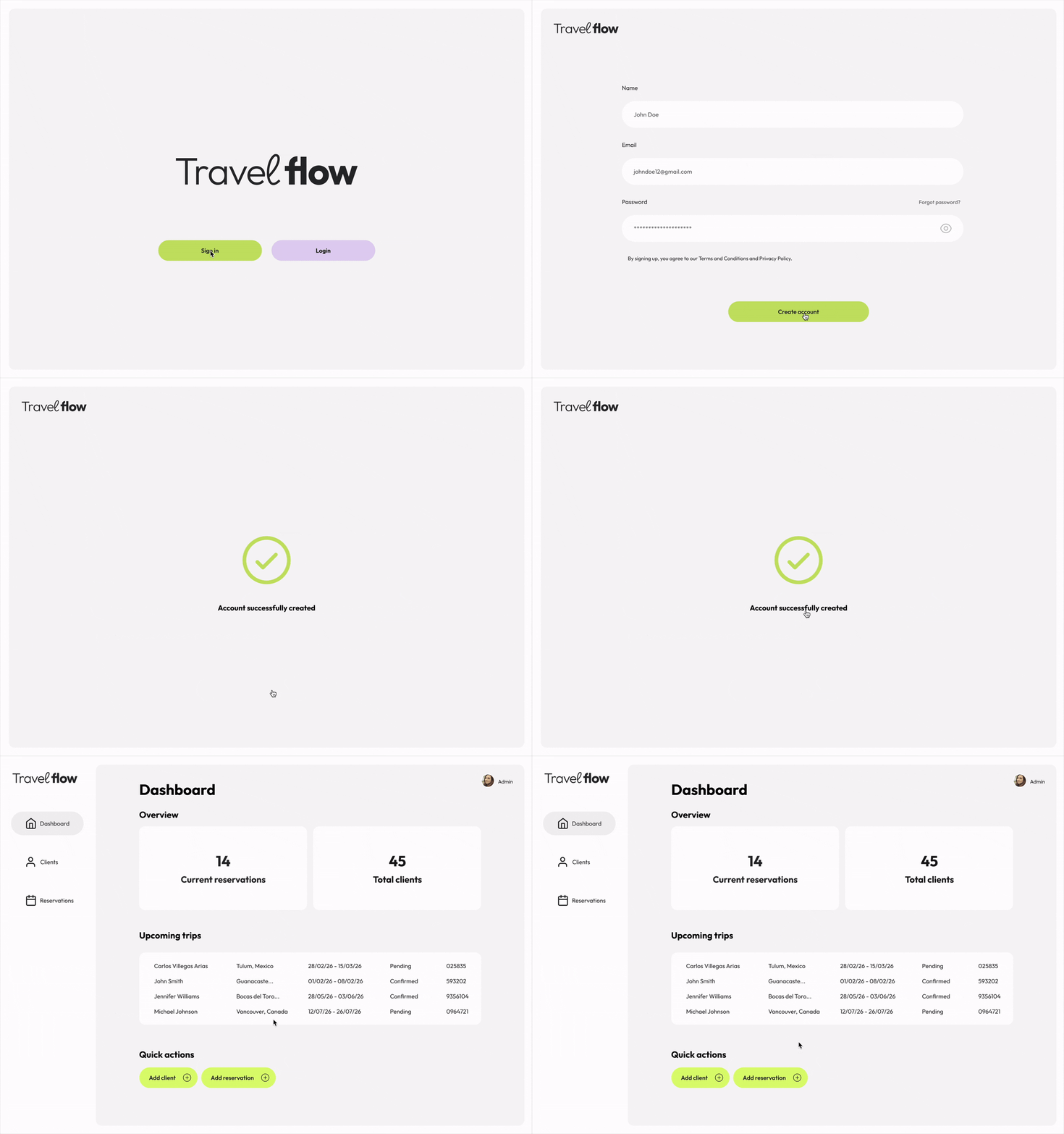
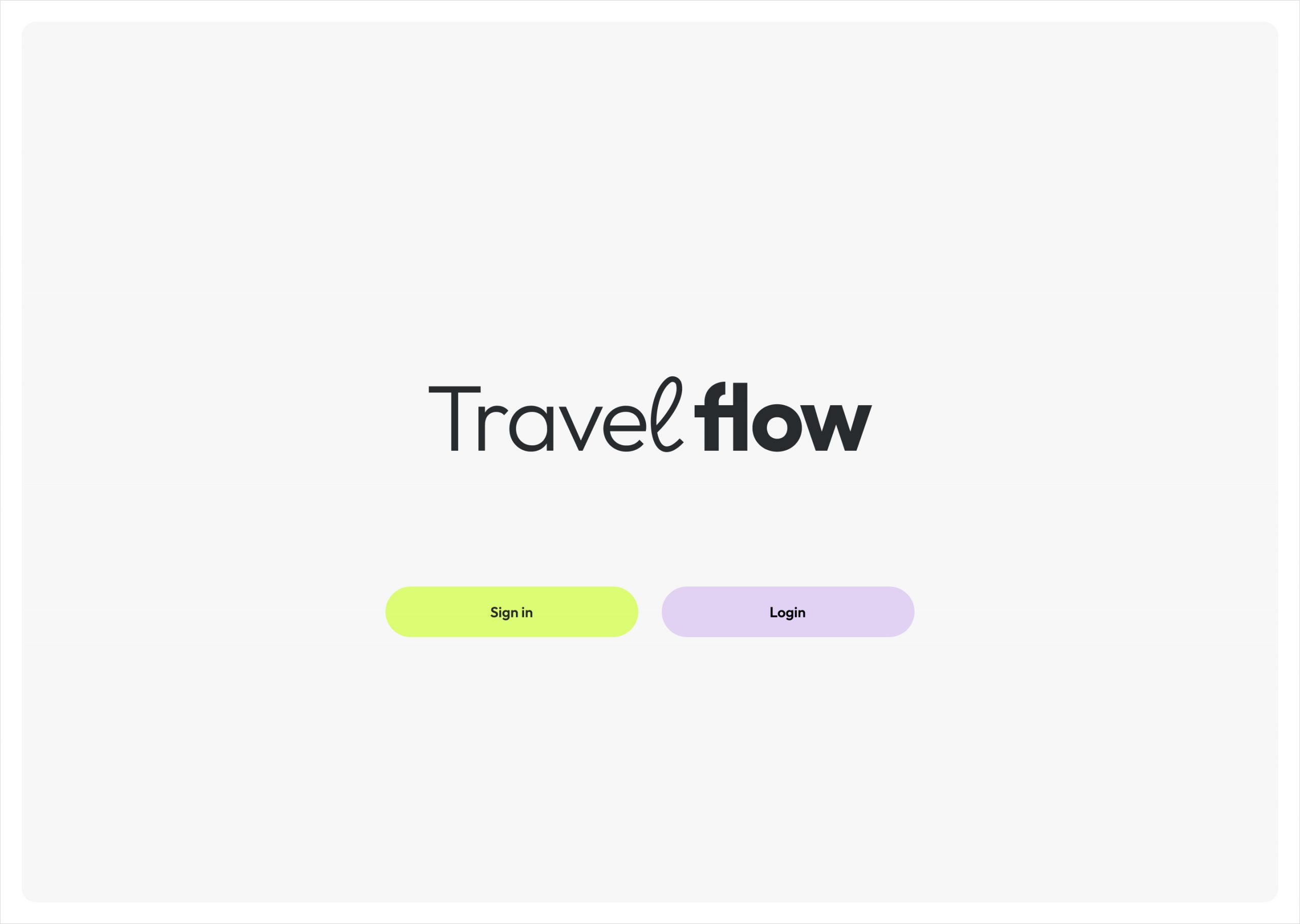
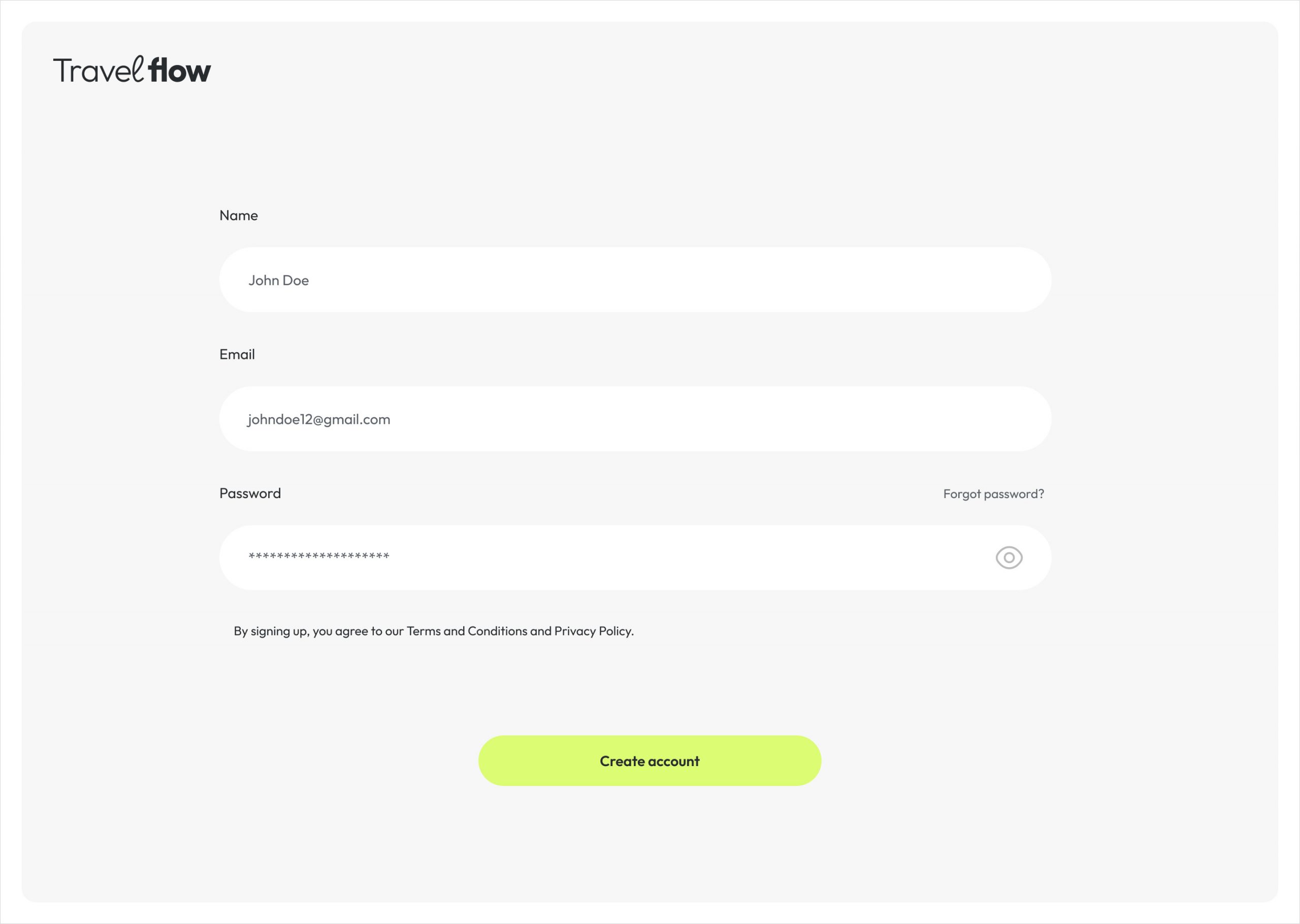
Onboarding flow and dashboard access
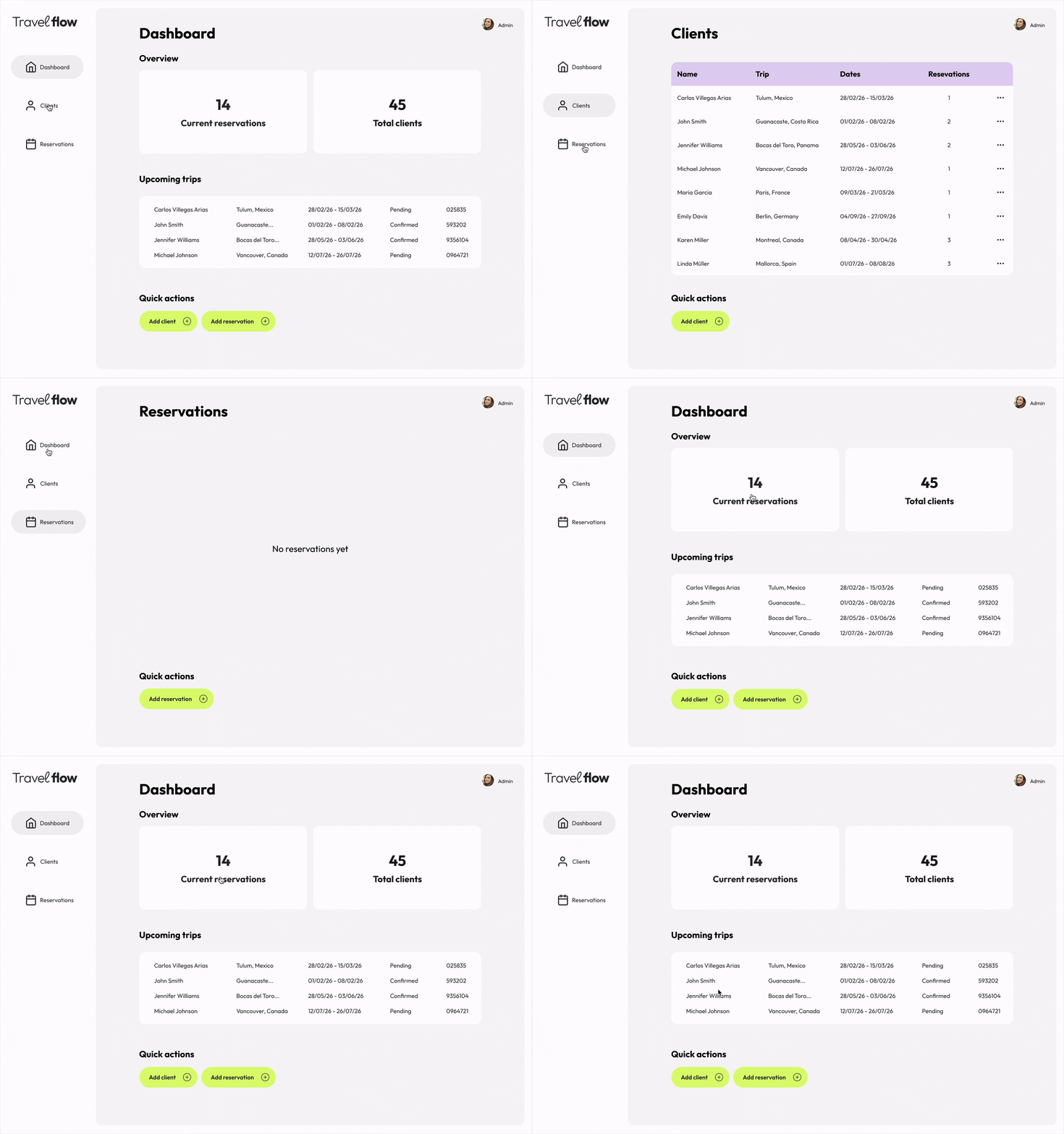
Navigating the sidebar
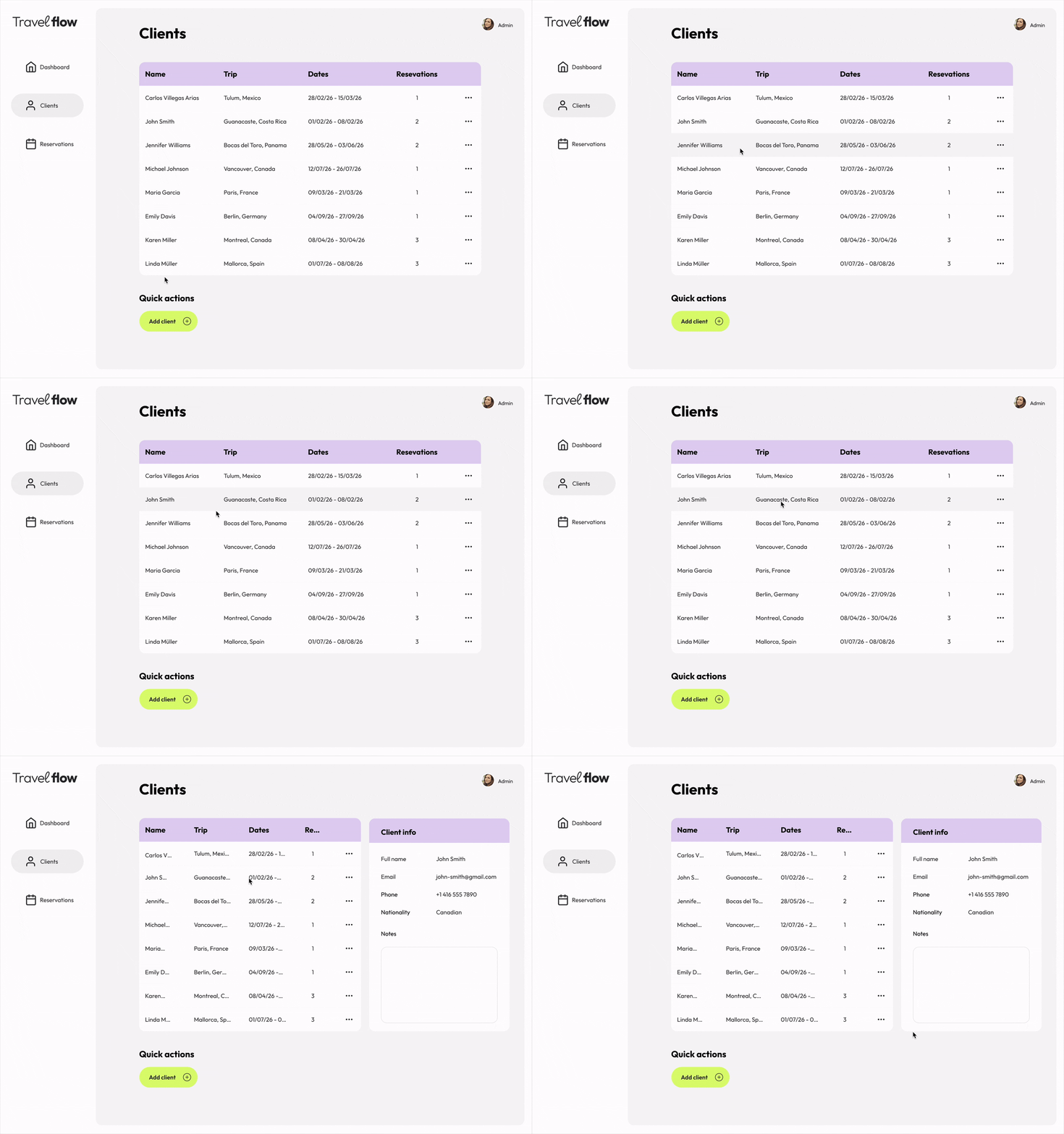
Accessing client details
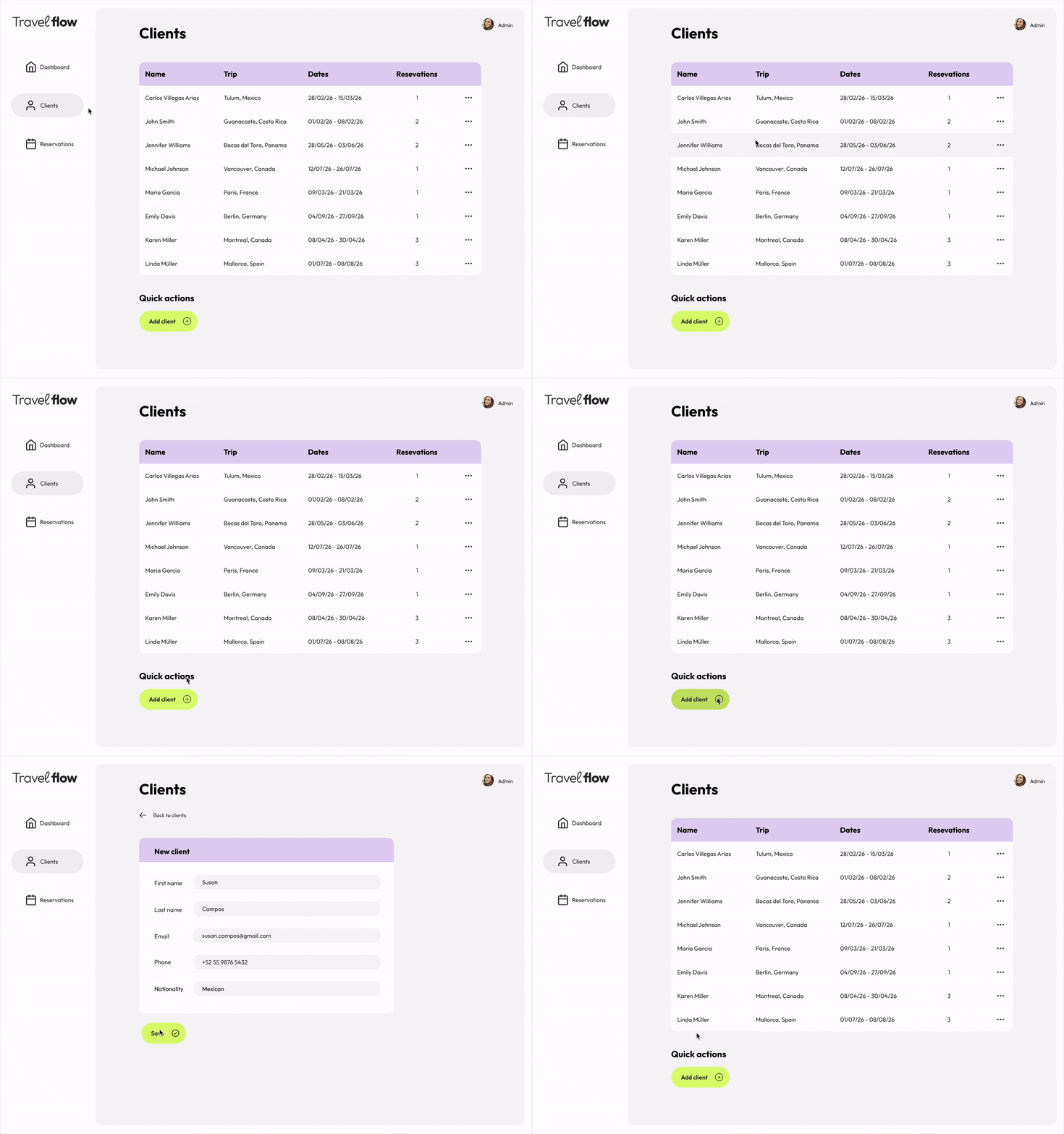
Adding a new client
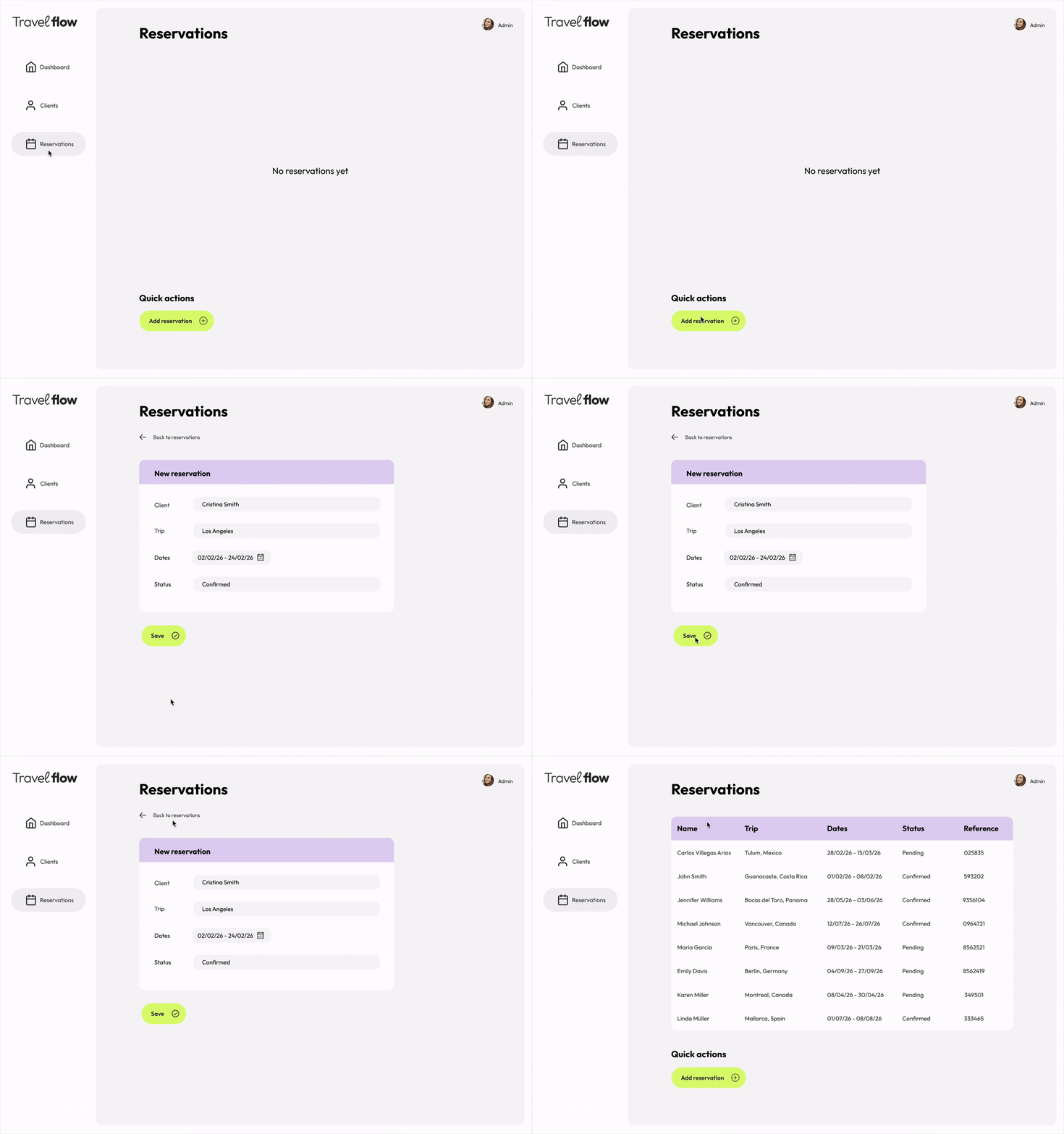
Reservations empty state and how to create a new reservation